
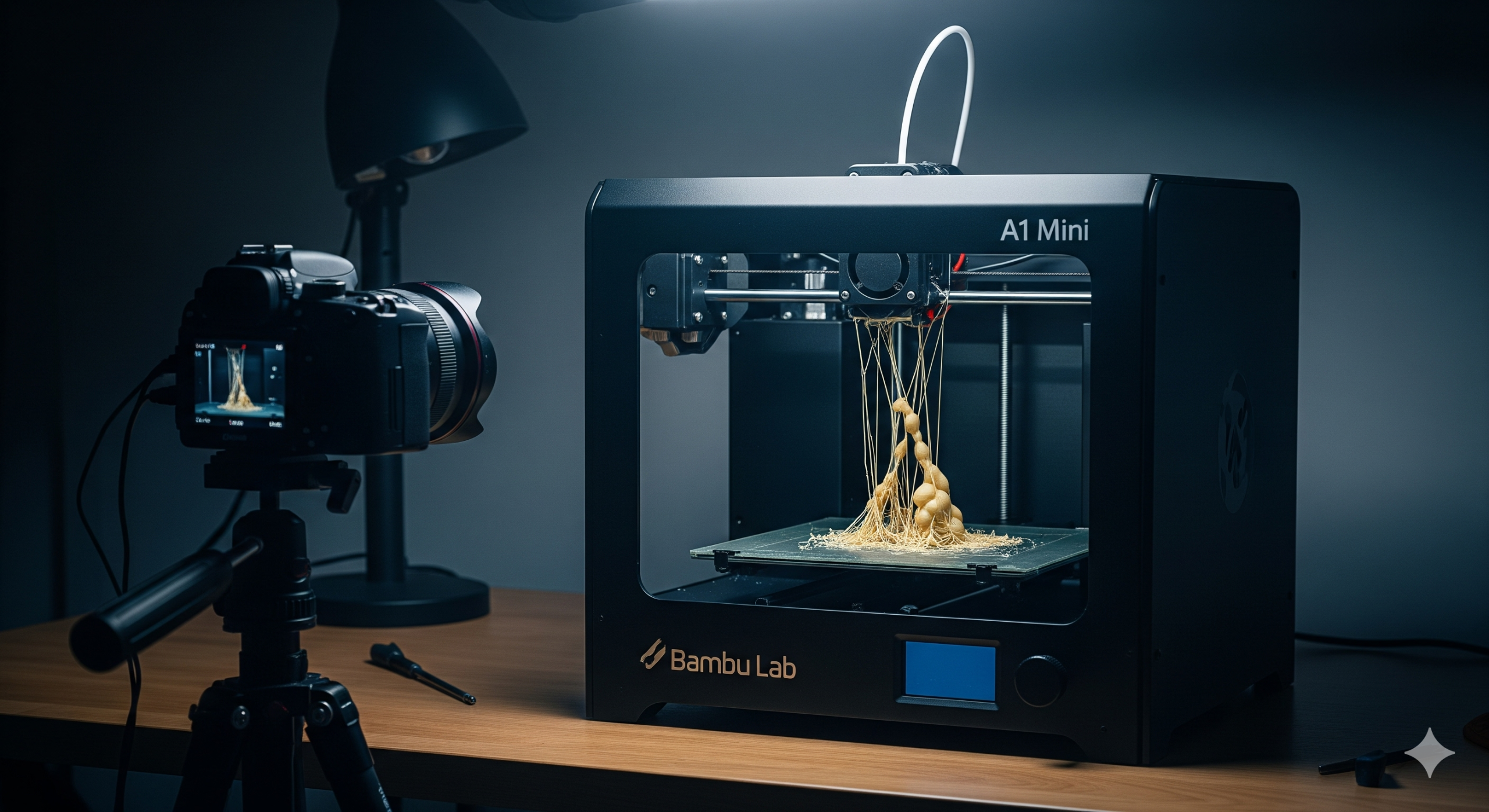
How the Bambu Lab A1 Mini’s Timelapse Feature Can Secretly Ruin Your Prints

Error due to timelapse

As a 3D printing enthusiast, I’ve seen my share of exciting new features, but few were as captivating as the built-in camera and timelapse function on the Bambu Lab A1 Mini. I mean, who doesn’t want to watch their 3D prints come to life in a sped-up video? I used it on everything I printed. It was fun… until my prints started failing.

It wasn’t a sudden crash; it was a slow, frustrating decline in print quality. My models were littered with tiny imperfections: little blobs, wispy threads, and messy-looking layers. I tried everything—tweaking settings, drying my filament, and even swapping nozzles. Nothing worked.


The Hidden Flaw of the A1 Mini Timelapse

I eventually realized the cause wasn’t my filament or my settings—it was the very feature I loved. The A1 Mini’s timelapse mode works by moving the print head outside the printing area to snap a photo at the end of each layer. While the hot nozzle is parked, molten PLA can ooze out.

When the head returns to continue the print, these tiny drops of filament get deposited onto the model. This constant start-stop process, repeated for every single layer, is a perfect recipe for stringing and blobs. It’s like stopping a pen while you’re writing; you get a blotch of ink right where you lift it.

For detailed models, this is a disaster. What was supposed to be a fun feature was actually sabotaging my prints.


My Top Tip: Turn Off the Timelapse

After much frustration, I decided to run a simple test: I printed the same model twice—once with the timelapse on and once with it off. The difference was incredible. The print with the timelapse off was perfectly clean and smooth, while the other was riddled with familiar imperfections.

My personal recommendation is simple: if you’re having print quality issues with your Bambu Lab A1 Mini, the very first thing you should do is turn off the timelapse feature. A successful, high-quality print is far more rewarding than a cool video of a failed one.

If you absolutely must have a timelapse, consider using the “Smooth Timelapse” option in Bambu Studio. It helps by moving the nozzle to a small purge tower to prevent oozing before it takes a picture.

For me, the peace of mind that comes with a reliable print outweighs the desire for a quick video. I now only use the timelapse for large, simple models where a little imperfection won’t matter.


I share my experiences to help other makers avoid the same frustrating pitfalls. If you found this post helpful, be sure to subscribe to my blog and follow my YouTube channel for more honest reviews, tips, and tricks based on my own 3D printing adventures. Happy printing!

Did you find this helpful? Have you had similar experiences with the A1 Mini? Share your thoughts and questions in the comments below!
My Next DIY Obsession: From Smart Home to 3D Printing

IoT 3D Printing Banner

If you’ve followed my previous blog post, you’ll know I’ve been deep into building my own DIY smart home ecosystem. My goal is to create a fully customized, open-source-powered “brain of the house,” from automatic door locks to intelligent climate control. It’s been a rewarding challenge, but as my little IoT devices have multiplied, I’ve realized something: they’re not exactly winning any awards for style.

Right now, my creations are a mess of wires and circuit boards, functional but far from a finished product. I knew I needed to take the next step, to bridge the gap between tech-nerd-in-a-garage and home-automation-pro. That’s why I’m diving headfirst into the world of 3D printing. This isn’t just a new hobby; it’s the key to turning my chaotic prototypes into sleek, professional-looking devices.


The Plan: A Beginner’s Guide to My 3D Printing Journey

My journey is starting right at the beginning, and I’m sharing every step to help others who might be considering the same path.

Step 1: The Great Printer Hunt

This is probably the most crucial and overwhelming part. The sheer number of 3D printers on the market is mind-boggling! My top priority is finding an affordable, user-friendly FFF (Fused Filament Fabrication) printer that won’t require a degree in engineering to operate. I’m currently torn between popular beginner models like the Creality Ender 3 and the Bambu Lab A1, both known for their active communities and reliability.

Step 2: From Idea to Model

A 3D printer is just a fancy paperweight without a digital design. I’m already starting to explore 3D modeling software. For now, I’ll be using free, intuitive tools like Tinkercad to create simple enclosures for my IoT sensors. As I get more comfortable, I plan to tackle more advanced software like Fusion 360 to bring more complex designs to life. The feeling of designing something from scratch and watching it take shape layer by layer… that’s the dream.

Step 3: Picking the Perfect Plastic

Who knew there were so many types of plastic? I’m learning about different filaments and their uses. For a beginner, PLA (Polylactic Acid) seems to be the clear winner. It’s easy to work with, less prone to warping, and biodegradable—a great choice for my initial projects. Once I master PLA, I’ll move on to more durable materials like ABS for stronger, more robust enclosures.

Step 4: Time to Hit “Buy”

This is where the adventure truly begins! After weeks of research, I’ll finally be ready to purchase my first 3D printer and a few spools of filament. I’m also looking into essential accessories like a proper build plate and a good set of tools to ensure a smooth printing process.

Step 5: The First Print

My hands are already itching to hit the “print” button. I’ll probably start with something simple, maybe a small benchy or a basic enclosure for one of my temperature sensors. I know there will be failed prints and frustrating moments, but that’s all part of the fun of learning a new skill.


Beyond the Hobby: A Vision for the Future

This isn’t just a personal project. My goal is to use 3D printing to create professional, ready-to-use housings for my IoT devices. In the near future, I plan to make my custom 3D models and even the completed IoT devices available for purchase.

Just a heads-up: this blog post isn’t sponsored, but if any brands are looking for genuine, hands-on product reviews, I’d love to collaborate!

I’ll be documenting every step, from my first successful print to my inevitable failures. If you’re excited to follow along and learn with me, be sure to subscribe to my blog so you don’t miss any updates on my smart home and 3D printing journey. You can also catch up on my original plan for the DIY Smart Home Revolution here.

What kind of project would you love to create with a 3D printer? Let me know in the comments below!