
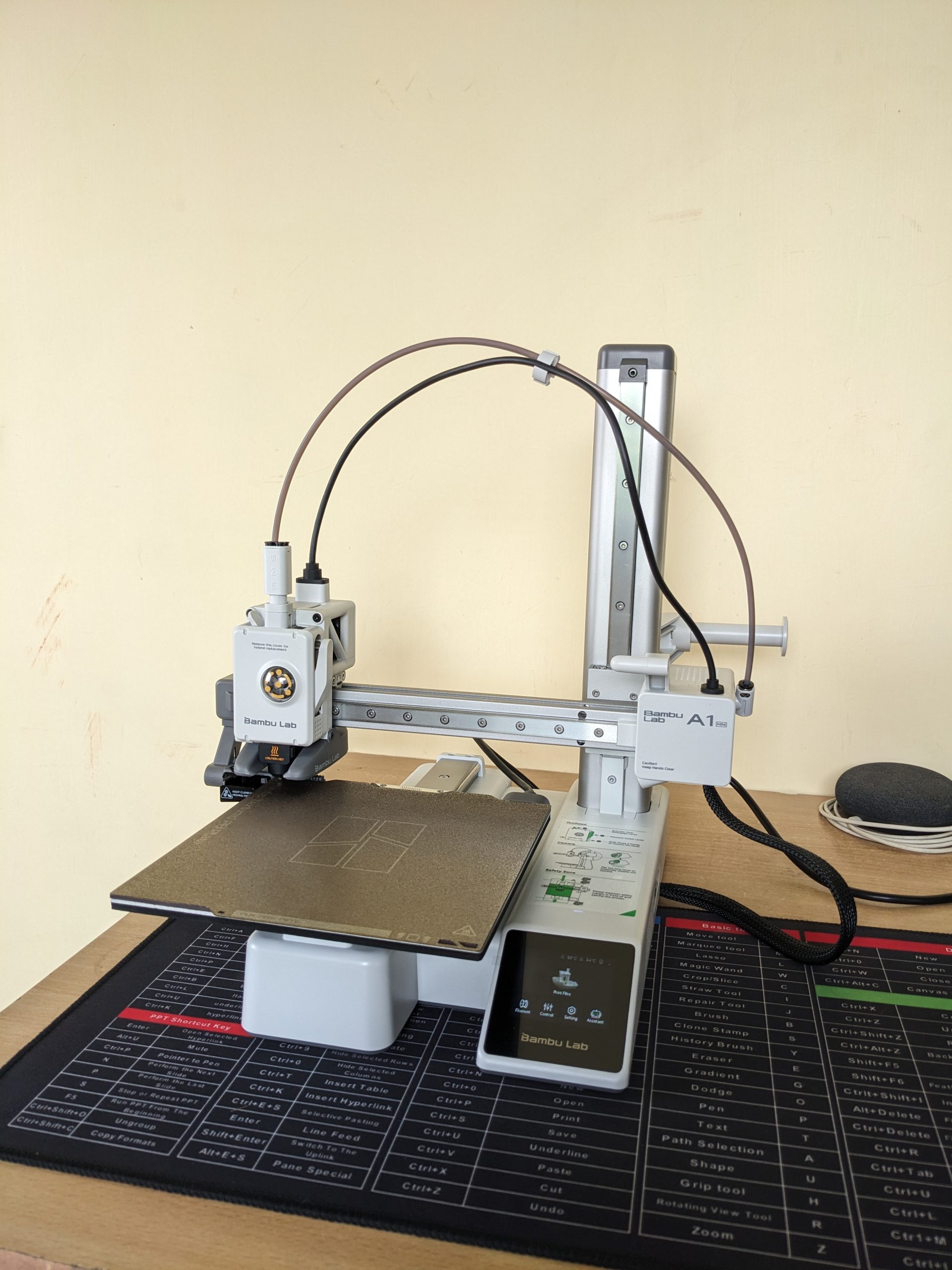
My First 3D Printer: Why I Chose the Bambu Lab A1 Mini (and How I Got It from Robu.in)

Bambu Lab A1 Mini Printer

Thinking about getting into 3D printing? If you’re anything like me, you’ve probably spent hours watching videos, reading reviews, and trying to figure out which printer is the best for a beginner. After a lot of research, I decided to pull the trigger on the Bambu Lab A1 Mini, and I’m so glad I did. I want to share my entire experience, from the moment I clicked “buy” on Robu.in to the moment the printer arrived at my doorstep.

Why the Bambu Lab A1 Mini is a Top Recommendation for Beginners

When I started my search, I knew I wanted a printer that was easy to use, reliable, and didn’t require constant tinkering. The Bambu Lab A1 Mini checked all those boxes and more. Here’s a quick rundown of what makes this printer stand out from the competition:

  • Effortless Setup and Calibration: This was a huge selling point for me. The A1 Mini has a fully automatic calibration system. It handles the bed leveling, Z-offset, vibration resonance, and pressure advance on its own. It’s a true “plug-and-play” experience, which is a massive relief for a first-timer.
  • Insane Speed: You’ll be amazed at how fast this printer is. With a maximum toolhead speed of 500textmm/s and an acceleration of 10,000textmm/s2, you can get your prints done in a fraction of the time compared to other entry-level printers. Less waiting means more creating!
  • Quiet Operation: One of the most common complaints about 3D printers is the noise. The A1 Mini’s active motor noise canceling feature makes it surprisingly quiet. This is great if you plan to have it in a shared living space or a home office.
  • Smart and Reliable: The printer is packed with sensors that prevent common printing failures. The filament run-out and tangle sensors, along with the power loss recovery feature, mean your prints are protected from unexpected issues.

In my opinion, the Bambu Lab A1 Mini is the perfect machine for anyone who wants to jump into 3D printing without the steep learning curve. It’s a solid investment that delivers on its promises.


My Experience Buying from Robu.in

As a maker in India, finding a reliable supplier for high-tech gadgets can be a challenge. I stumbled upon Robu.in and was immediately impressed by their extensive catalogue of electronics, robotics, and 3D printing supplies.

The website was easy to navigate, and finding the Bambu Lab A1 Mini was a breeze. The checkout process was straightforward, and they provided multiple secure payment options, which gave me confidence in my purchase.

Because my location is on the outskirts of the city, I expected the delivery to take a bit longer. However, the wait was completely worth it. The best part? The courier service. My package was handled by BlueDart, and I was really impressed with their service. Despite some online reviews mentioning mixed experiences, my personal delivery with them was great. The package was in perfect condition, and the delivery person was very professional and ensured it was handed over to me safely. This kind of reliable courier service is crucial when you’re buying a delicate and expensive piece of equipment.


What’s Next? Stay Tuned!

The printer is here, and I’m itching to get it unboxed and set up! I’m planning to document my entire experience, from the unboxing to my very first prints, on my new YouTube channel.

I’ll be sharing an in-depth unboxing video soon, where you’ll get a close-up look at the Bambu Lab A1 Mini and all its components. If you’re considering this printer, or just want to follow along on my 3D printing journey, be sure to subscribe to my new YouTube channel and hit the notification bell.

My experience with Robu.in and BlueDart has been excellent, and I can confidently recommend them. Now, it’s time to fire up this printer and see what it can do!
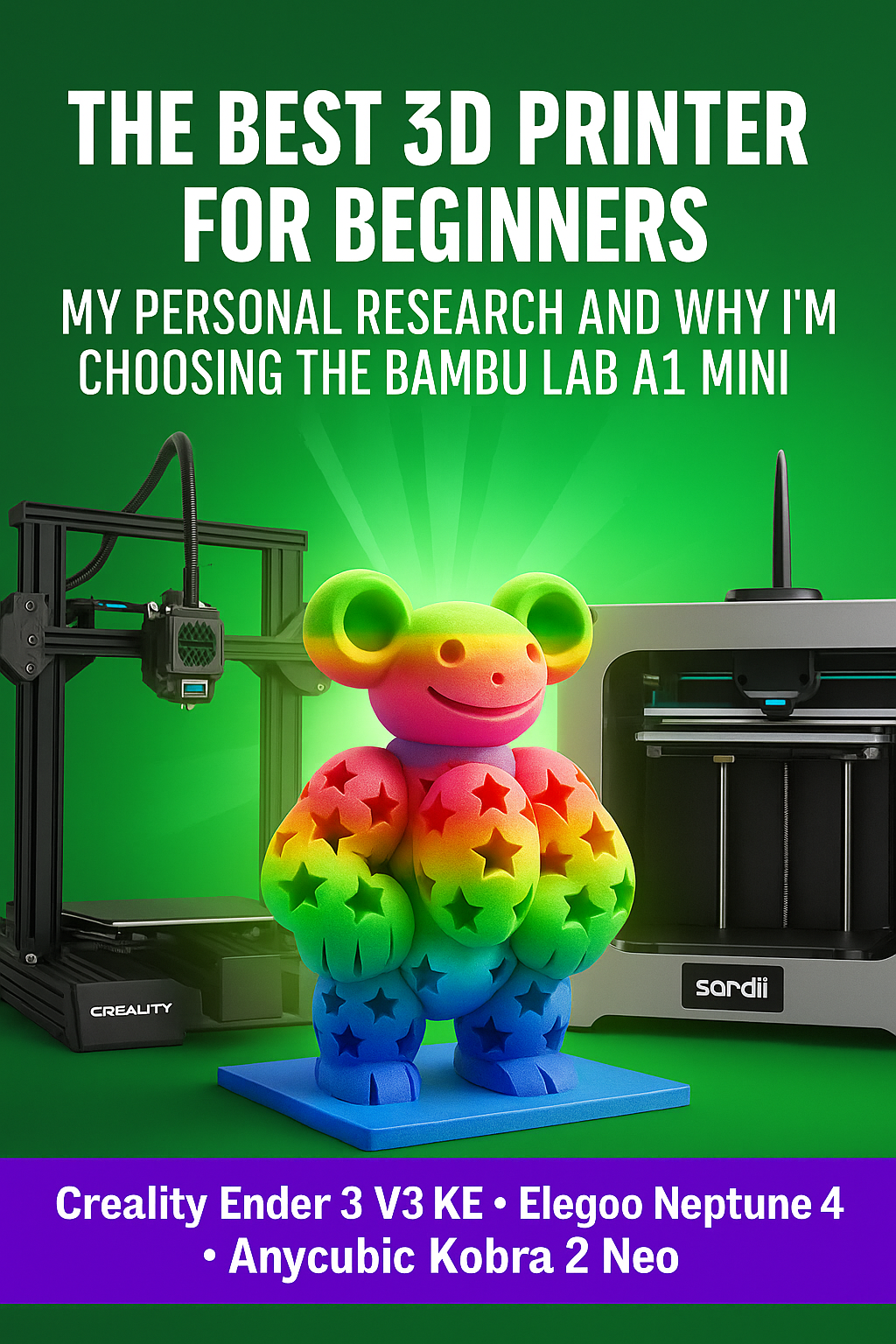
The Best 3D Printer for Beginners: My Personal Research and Why I’m Choosing the Bambu Lab A1 Mini

3d printer banner

Hey everyone, and welcome back to the blog!

If you’re anything like me, you’ve probably spent hours watching satisfying 3D printing videos online and thought, “I want to do that!” The idea of being able to bring my own designs to life for my projects is what got me started on this journey. But then I looked at the market, and the sheer number of options—from confusing spec sheets to endless YouTube reviews—made me hit a mental wall.

So, I decided to do a deep dive. For the past few weeks, my research has been all about finding the perfect first 3D printer for a true beginner in India. My main goals were affordability, ease of use, and a machine that wouldn’t require a degree in engineering to get started.

After comparing the top contenders, I’ve made my decision. I am officially looking forward to buying the Bambu Lab A1 Mini.

Why the Bambu Lab A1 Mini is My Top Pick

My personal research consistently pointed to one key feature: the Bambu Lab ecosystem is built to “just work.” This is a massive selling point for a beginner like me. I want to spend my time designing and printing, not troubleshooting. The A1 Mini’s full-auto calibration for things like Z-offset and bed leveling is a game-changer. It’s a “set it and forget it” kind of setup, which is exactly what I need to avoid frustration.

Beyond the ease of use, the performance is just incredible. The A1 Mini is a bed-slinger, but it prints at speeds that rival more expensive CoreXY printers. What really sold me, however, is the optional AMS Lite system. This allows for seamless, multi-color printing with up to four different filaments. It’s a creative tool that will open up a whole new world of projects for me, and getting this capability at a beginner’s price point is a huge win.


My Personal Comparison of Top Affordable Printers for Beginners in India

To give you a clearer picture of my research, here’s an expanded comparison table that looks at more than just the basics. I’ve included all the key specs that truly differentiate these machines.

FeatureBambu Lab A1 MiniCreality Ender 3 V3 KEAnycubic Kobra 2 NeoElegoo Neptune 4
Price (approx.)₹19,999 – ₹35,999 (without/with AMS Lite)₹18,000 – ₹30,000₹14,500 – ₹16,000₹24,000 – ₹28,000
Build Volume180x180x180 mm220x220x240 mm220x220x250 mm225x225x265 mm
Max Print SpeedUp to 500 mm/sUp to 500 mm/sUp to 250 mm/sUp to 500 mm/s
Extruder TypeDirect Drive“Sprite” Direct DriveDirect DriveDual-Gear Direct Drive
FirmwareBambu Lab MCU (Klipper-based)Klipper Firmware pre-installedMarlin FirmwareKlipper Firmware pre-installed
Auto-LevelingFully automatic (no manual knobs)CR Touch & Strain GaugeLeviQ 2.0 (25-point)121-point auto-leveling
Max Nozzle Temp.300°C300°C260°C300°C
Max Bed Temp.80°C100°C110°C110°C
Filament CompatibilityPLA, PETG, TPU, PVA (Ideal)PLA, PETG, ABS, ASA, TPUPLA, ABS, PETG, TPUPLA, ABS, PETG, ASA, TPU, Nylon
ConnectivityWi-Fi, Bambu CloudWi-Fi, USB, LANMicroSD CardUSB, LAN, Wi-Fi
User Interface2.4-inch IPS Touch Screen4.3-inch Touchscreen2.4-inch Knob LCD4.3-inch Removable Touchscreen
Motion SystemV-Wheels on Z, Linear Rails on XLinear Rail on X-axis, V-wheels on Y/ZV-wheels on all axesV-wheels with dual Z-axis motors
Noise LevelVery Quiet (with active noise cancelling)ModerateModerate-High<50dB (Quiet)
Unique FeaturesAMS Lite for multi-color, built-in camera, filament tangle sensor, active noise cancellation.High-speed Klipper, high-flow hotend, semi-assembled for fast setup.Extremely affordable, very simple modular assembly.Removable touchscreen, auxiliary cooling fans, power loss recovery.
Best ForThe beginner who wants a premium, frustration-free experience and multi-color capability.The value-seeker who wants high-speed performance and a large community for support.The absolute budget-conscious beginner who wants a reliable workhorse.The tech-savvy beginner who wants Klipper’s power and a wide range of filament options.

(Note: Prices are approximate and can vary based on the seller, location, and ongoing offers.)


My Final Take on the Printers

Based on my in-depth research, here’s how I view each of these machines for a beginner:

  • Bambu Lab A1 Mini: This is for the beginner who wants a premium experience without the premium price tag. The automation, a built-in camera for monitoring, and the optional multi-color printing make it a truly modern and enjoyable machine. It’s an investment in a smoother learning curve, which is my top priority.
  • Creality Ender 3 V3 KE: This is the king of value. Creality has listened to the community and packed high-end features like Klipper into this new model. It’s a fantastic choice for those who want to learn a bit more about the technical side of 3D printing but still want a machine that is largely “ready to go.” The large community is a huge benefit for troubleshooting and finding upgrades.
  • Anycubic Kobra 2 Neo: This printer is for the person who wants to dip their toes into the hobby with minimal financial commitment. It provides all the essential modern features—auto-leveling and a direct extruder—at a price point that’s tough to beat. While its speed is a little slower, you’ll still get reliable prints and a great starting point for your journey.
  • Elegoo Neptune 4: This one is a strong dark horse. It’s got the speed of the Ender 3 V3 KE and similar high-end features. It’s a testament to how competitive the market has become, and it’s a great choice if you find a better deal on it. The Klipper firmware and a high-temp hotend make it a very capable machine for a wide range of filaments.

Where to Buy: Comparing the Sites

My next step is to compare the pricing, delivery, and customer service from various sites in India. I’ll be meticulously checking each of the following to see who offers the best deal for the Bambu Lab A1 Mini.

  • Bambu Lab Official Site: The most direct source for all Bambu Lab products. This is where I’ll check for the latest official pricing and bundles. Visit Bambu Lab Official Site (IN)
  • Robu.in: A trusted name in the Indian maker community. They have a great selection of 3D printers and parts. Check out 3D Printers on Robu.in
  • Amazon India: The convenience of Amazon is undeniable. I’ll be checking for fast delivery and verified sellers. Explore 3D Printers on Amazon India
  • WOL3D: A prominent Indian distributor for many 3D printing brands, including Bambu Lab. Visit WOL3D
  • 3idea.in: Another well-regarded Indian distributor with a wide range of products. Browse 3idea.in

I’ll be posting all the details of my purchase, delivery, and initial setup experience in my upcoming blogs. I’m excited to share my journey with you all!

In the meantime, I’d love to hear your thoughts. What do you think of my choice? Do you have any suggestions for a beginner’s first projects? Or are you also looking to buy a new printer? Let’s discuss it in the comments below! Stay tuned for the next update on my 3D printing journey.

My Next DIY Obsession: From Smart Home to 3D Printing

IoT 3D Printing Banner

If you’ve followed my previous blog post, you’ll know I’ve been deep into building my own DIY smart home ecosystem. My goal is to create a fully customized, open-source-powered “brain of the house,” from automatic door locks to intelligent climate control. It’s been a rewarding challenge, but as my little IoT devices have multiplied, I’ve realized something: they’re not exactly winning any awards for style.

Right now, my creations are a mess of wires and circuit boards, functional but far from a finished product. I knew I needed to take the next step, to bridge the gap between tech-nerd-in-a-garage and home-automation-pro. That’s why I’m diving headfirst into the world of 3D printing. This isn’t just a new hobby; it’s the key to turning my chaotic prototypes into sleek, professional-looking devices.


The Plan: A Beginner’s Guide to My 3D Printing Journey

My journey is starting right at the beginning, and I’m sharing every step to help others who might be considering the same path.

Step 1: The Great Printer Hunt

This is probably the most crucial and overwhelming part. The sheer number of 3D printers on the market is mind-boggling! My top priority is finding an affordable, user-friendly FFF (Fused Filament Fabrication) printer that won’t require a degree in engineering to operate. I’m currently torn between popular beginner models like the Creality Ender 3 and the Bambu Lab A1, both known for their active communities and reliability.

Step 2: From Idea to Model

A 3D printer is just a fancy paperweight without a digital design. I’m already starting to explore 3D modeling software. For now, I’ll be using free, intuitive tools like Tinkercad to create simple enclosures for my IoT sensors. As I get more comfortable, I plan to tackle more advanced software like Fusion 360 to bring more complex designs to life. The feeling of designing something from scratch and watching it take shape layer by layer… that’s the dream.

Step 3: Picking the Perfect Plastic

Who knew there were so many types of plastic? I’m learning about different filaments and their uses. For a beginner, PLA (Polylactic Acid) seems to be the clear winner. It’s easy to work with, less prone to warping, and biodegradable—a great choice for my initial projects. Once I master PLA, I’ll move on to more durable materials like ABS for stronger, more robust enclosures.

Step 4: Time to Hit “Buy”

This is where the adventure truly begins! After weeks of research, I’ll finally be ready to purchase my first 3D printer and a few spools of filament. I’m also looking into essential accessories like a proper build plate and a good set of tools to ensure a smooth printing process.

Step 5: The First Print

My hands are already itching to hit the “print” button. I’ll probably start with something simple, maybe a small benchy or a basic enclosure for one of my temperature sensors. I know there will be failed prints and frustrating moments, but that’s all part of the fun of learning a new skill.


Beyond the Hobby: A Vision for the Future

This isn’t just a personal project. My goal is to use 3D printing to create professional, ready-to-use housings for my IoT devices. In the near future, I plan to make my custom 3D models and even the completed IoT devices available for purchase.

Just a heads-up: this blog post isn’t sponsored, but if any brands are looking for genuine, hands-on product reviews, I’d love to collaborate!

I’ll be documenting every step, from my first successful print to my inevitable failures. If you’re excited to follow along and learn with me, be sure to subscribe to my blog so you don’t miss any updates on my smart home and 3D printing journey. You can also catch up on my original plan for the DIY Smart Home Revolution here.

What kind of project would you love to create with a 3D printer? Let me know in the comments below!

Run Powerful AI on Your PC: My Hands-On Experience with Ollama and Small Language Models (10-Minute Read)

AI - Ollama Hands on

Hey everyone! Ever felt curious about playing around with Artificial Intelligence, but thought it needed a supercomputer that costs a fortune? Well, I’m here to share my personal journey of diving into the world of AI right on my regular PC, thanks to a fantastic tool called Ollama and the magic of small language models (SLMs). For us in India, access to powerful and private AI is becoming increasingly important, and this method offers just that. Trust me, if I can do it, anyone can! Let’s get started on this exciting adventure. 🚀


My “Aha!” Moment with Local AI

Like many of you, I’ve been fascinated by the buzz around AI. Tools like ChatGPT are incredible, but the thought of running something similar, completely privately, on my own machine always seemed like a distant dream. Concerns about data privacy and the need for constant internet access were always at the back of my mind.

Then, I stumbled upon Ollama. It was like a lightbulb went off! This open-source tool promised a simple way to download, run, and manage large language models (LLMs) locally. My initial thought was, “Yeah, right. My PC can barely handle some games.” But as I dug deeper, I discovered the world of small language models. These are AI models that are intentionally designed to be efficient and lightweight, making them perfect for running on everyday computers without needing top-tier GPUs or massive amounts of RAM.

My “aha!” moment came when I successfully ran my first model. The feeling of having a conversational AI running purely on my laptop, without any internet connection, was truly empowering. It opened up a whole new world of experimentation and learning, all within the secure confines of my own device.


Step-by-Step: How I Got My First AI Model Running Locally

Let me walk you through the exact steps I took to get my first small language model up and running using Ollama. It’s simpler than you might think!

1. Installing Ollama: The Easy First Step

The first step was to get Ollama installed on my PC. I headed over to the official Ollama website (it’s super easy to find with a quick Google search). They have clear installation instructions and download links for Windows, macOS, and Linux. Since I’m on Windows, I downloaded the .exe file. The installation process was a breeze – just a few clicks, and Ollama was ready to go. It even runs a little server in the background without you having to do anything complicated.

2. Opening the Command Line: Your Gateway to AI

Ollama works through your computer’s terminal or command prompt. Think of it as a direct line to your system.

  • For Windows users: Just type “cmd” or “Command Prompt” in your Start Menu search bar and click on it.
  • For macOS/Linux users: Open the “Terminal” application (you can usually find it in your Utilities folder).

Don’t be intimidated by the command line! We’ll only be using a few simple commands.

3. Choosing the Right Small Model: Efficiency is Key

This is where the magic of running AI on a regular PC truly shines. Instead of aiming for massive, resource-hungry models, we focus on small language models (SLMs). These models are trained on vast amounts of data but are optimized for speed and efficiency.

I browsed the Ollama library. It’s like an app store for AI models! I was looking for models with parameter counts in the billions (indicated by ‘B’), rather than tens or hundreds of billions. Based on recommendations and their descriptions, I decided to start with Phi-3 Mini (3.8B). It’s known for its impressive performance despite its small size. Other great options include Gemma (2B or 7B) by Google and Llama 3 (8B) by Meta.

4. Running Your First AI Model: The Exciting Part!

Now for the moment of truth! In my command prompt, I typed the following command:

<pre><code class=”language-bash”>ollama run phi3 </code></pre>

(Of course, if you choose a different model, you’d replace phi3 with the model’s name, like ollama run gemma:2b or ollama run llama3:8b).

The first time you run this command for a particular model, Ollama will automatically download it from the internet. This might take a few minutes, depending on your internet speed. Grab a cup of chai while you wait! ☕

Once the download is complete, you’ll see a >>> Send a message prompt. This is it! You’re now interacting with an AI model running locally on your PC. I typed a simple greeting, and the model responded almost instantly. I was amazed! I then asked it to summarize a short article I had, and it did a pretty good job.

To end the conversation, just type /bye and press Enter.


My Go-To Small Language Model Recommendations for Indian Users

Based on my experience, here are some small language models that I found particularly good for getting started, keeping in mind the kind of tasks we might commonly need:

  • Phi-3 Mini (3.8B): Excellent all-rounder. Great for creative writing, summarizing text, answering questions, and even some basic coding tasks. Its smaller size makes it very responsive.
  • Gemma (2B): If you have a slightly older PC or want something incredibly lightweight, Gemma 2B is a fantastic choice. It’s surprisingly capable for its size and can handle basic natural language tasks efficiently.
  • Llama 3 (8B): While slightly larger than Phi-3 Mini, Llama 3 8B offers a noticeable step up in performance for more complex tasks. It’s a good balance between capability and resource usage.

Remember to check the Ollama library for the exact command to run each specific version of these models (e.g., ollama run gemma:7b).


Level Up Your Local AI Experience: Essential Resources

To help you on your journey with Ollama and local AI, here are some fantastic resources I found incredibly helpful:

  • Official Ollama Documentation: This is your primary source for all things Ollama. You’ll find detailed instructions, command references, and guides on more advanced features: https://ollama.com/docs
  • Ollama Model Library: Keep exploring this page to discover new and interesting small language models: https://ollama.com/library

And here are some engaging video tutorials that can guide you visually:


Why This Matters for Us in India

Running AI models locally has significant benefits, especially for users in India:

  • Data Privacy: Your interactions and data stay on your computer, crucial for sensitive information.
  • Offline Access: No need for a constant internet connection, which can be unreliable in some areas.
  • Cost Savings: Once the models are downloaded, there are no recurring costs associated with usage.
  • Learning and Experimentation: It provides a fantastic platform for students, developers, and anyone curious about AI to learn and experiment without relying on external services.

My experience with Ollama and small language models has been incredibly positive. It’s empowering to have access to AI capabilities right on my PC, privately and affordably. I encourage all of you to give it a try. It’s a fantastic way to explore the exciting world of artificial intelligence without needing a high-end machine. Share your experiences in the comments below – I’d love to hear about the models you try and the cool things you do with them! Happy AI exploring! 😊

Beyond the Hype: The Hard Truth About Generative AI’s 95% Failure Rate

AI Faulure

Is the hype around generative AI starting to deflate? A groundbreaking new study from MIT is sending shockwaves through the tech world, revealing that a staggering 95% of generative AI projects are failing to deliver real business value. This eye-opening statistic is fueling concerns of a potential tech bubble, leaving many to wonder if the AI revolution is more fizz than bang.

We’ve all seen the headlines promising transformative power, from AI chatbots revolutionizing customer service to AI tools supercharging content creation. But the reality, according to MIT’s “The GenAI Divide: State of AI in Business 2025” report, is far less glamorous. While individuals are finding handy uses for these tools, enterprises are largely struggling to translate pilot projects into tangible results.

Why the Generative AI Gold Rush is Turning into a Bust:

So, what’s behind this massive failure rate? It boils down to several critical factors:

  • The “AI Adaptation Gap”: Simply deploying a powerful AI model isn’t enough. Companies are realizing that generic AI needs significant customization and integration into their unique workflows. Without this crucial step, the AI remains a shiny toy that doesn’t actually solve business problems. Think of it like buying a Formula 1 car and expecting it to navigate Mumbai’s traffic without any modifications!
  • Chasing Hype, Not Value: Many organizations jumped on the generative AI bandwagon due to FOMO (fear of missing out), launching projects without clearly defined objectives or a solid understanding of how AI would drive real business value. The result? Technically impressive projects that don’t impact the bottom line.
  • Dirty Data, Broken Infrastructure: AI thrives on high-quality data. Unfortunately, many companies are grappling with data silos, inconsistencies, and a lack of “AI-ready” data. As the saying goes, “garbage in, garbage out.” Poor data leads to unreliable AI outputs and stalled projects.
  • The Overpromise Problem: The capabilities of generative AI have been heavily hyped, leading to unrealistic expectations. As this insightful video from Matt Berman on YouTube (Video linked below) points out, AI still struggles with many complex tasks, and the initial promises often fall short in real-world application.


The Human Cost of AI Overreach: When Automation Backfires

One of the biggest pitfalls is the rush to replace human workers with AI without a clear understanding of the nuances involved. While AI can automate repetitive tasks, many roles require uniquely human skills like emotional intelligence, complex problem-solving, and creative thinking.

Consider companies that prematurely downsized their customer service teams in favor of AI chatbots, only to face customer frustration and the need to rehire human agents. This highlights the danger of underestimating the value of human connection and adaptability in the workplace. Relying solely on AI in such scenarios can lead to:

  • Diminished Customer Experience: AI, for now, lacks the empathy and nuanced understanding to handle complex or emotionally charged customer interactions effectively.
  • Loss of Innovation: True creativity and out-of-the-box thinking often come from human intuition and collaboration, which AI cannot replicate.
  • Employee Disengagement: When employees feel like they are being replaced by machines, morale and productivity can plummet.

Where AI Still Doesn’t Belong (Yet!) 🚫

While AI’s capabilities are rapidly evolving, certain fields remain firmly in the realm of human expertise. As of now, AI is not well-suited for roles that demand:

  • High-Stakes Judgment and Creativity: Fields like artistic creation, strategic decision-making with incomplete information, and critical ethical judgments require a level of human intuition and understanding that AI currently lacks.
  • Deep Empathy and Interpersonal Connection: Professions such as therapy, counseling, nursing (especially bedside care), and teaching rely heavily on human-to-human connection and emotional intelligence.
  • Complex Physical Dexterity and Adaptability in Unstructured Environments: Think of skilled trades like plumbing, electrical work, and construction. These jobs require navigating unpredictable situations and fine motor skills that current robotic AI struggles with.

Navigating the Generative AI Landscape: A More Realistic Approach

The MIT study serves as a crucial wake-up call. Instead of blindly chasing the latest AI trends, businesses need to adopt a more strategic and realistic approach. This involves:

  • Focusing on Clear Business Problems: Identify specific challenges where AI can provide tangible solutions and measurable ROI.
  • Investing in Data Quality and Infrastructure: Ensure your data is clean, accessible, and properly formatted for AI training.
  • Prioritizing Integration and Customization: Adapt generic AI models to your specific needs and seamlessly integrate them into existing workflows.
  • Augmenting Human Capabilities, Not Replacing Them: Focus on how AI can empower employees and enhance their productivity, rather than simply trying to automate jobs out of existence.

The generative AI revolution is far from over, but the current hype cycle needs a healthy dose of realism. By understanding the limitations and focusing on strategic implementation, businesses can harness the true potential of AI without falling victim to the bursting bubble.

Feel free to subscribe and share the article. It feels good to see new subscribers and readers on the blog.

Better Late Than Never: My DIY Smart Home Revolution is Underway!

home automation

NOTE: All the materials/software/solutions I’ll be using in this project will be open-source and designed by me; no ready-to-use solutions will be used. It will be a complete personal project.

Introduction:

Ever felt like you missed the boat on the smart home trend? For years, I watched from the sidelines as friends and tech enthusiasts automated their lives. I’ll admit it – a part of me thought, “It’s a bit late for me.” But that feeling has given way to a new obsession: building my own complete, custom home automation system from the ground up.

This isn’t about buying a few smart plugs and calling it a day. This is about a full-scale home revolution, a project fueled by a desire for convenience, security, and a little bit of tech wizardry. If you’ve ever dreamt of a home that truly works for you, stick around. This is my journey, and it’s just getting started.

The Master Plan: A Home That Thinks for Itself

My goal is a holistic ecosystem that integrates every aspect of my daily life. Forget about fragmented apps and devices. My system is designed to be the brain of the house, handling everything from security to sustainability.

Here’s a breakdown of the core features I’m building:

  • Your Personal Digital Butler: My system will be the ultimate notification hub. Get instant alerts for everything: a package delivery, a water leak, or even a simple reminder to take out the trash. No more missed events, no more forgotten tasks.
  • The Unlocking Experience: I’m ditching the traditional key. With automatic door mechanisms and a fingerprint sensor, entry into my home will be seamless and highly secure. The door will know when I’m home and lock itself behind me, offering peace of mind.
  • Climate Control, Perfected: No more fiddling with the remote. Using temperature and humidity sensors, my system will intelligently manage the existing AC units to maintain a perfect, comfortable climate, all while optimizing energy usage.
  • Water Management, Simplified: Water is a precious resource. My system will monitor the water tank level in real-time, preventing overflows and automating the refilling process for efficient, hassle-free water management.
  • Smarter Appliances, Smarter Living: I’m putting an end to manual tasks. Using relay modules, I’ll control lights, fans, the washing machine, and other appliances remotely. Imagine a routine where the coffee maker starts brewing just as your alarm goes off.
  • The Guardian of the Network: A stable, secure network is the backbone of a smart home. My system will actively monitor the network, alerting me to any connectivity issues or suspicious activity, keeping my digital life safe.
  • Energy at a Glance: I’m a firm believer in “you can’t manage what you don’t measure.” I’ll be monitoring electricity availability and consumption to gain valuable insights, helping me identify opportunities to reduce my power bill and environmental footprint.
  • My Indoor Garden’s Best Friend: For the plant parent in me, I’m building a smart plant watering system that will use moisture sensors to deliver the perfect amount of water, ensuring my green friends thrive without constant supervision.
  • Automated Sentimental Reminders: Life gets busy. My system will be a digital memory keeper, automatically sending out personalized greetings for birthdays and anniversaries, making sure I never miss a special moment.

The Tech Behind the Magic

The heart of this entire operation is a powerful Raspberry Pi 5 server. For security, this server will be completely isolated from the direct internet, running all automation tasks over my local network (Wi-Fi and LAN). Remote access will be exclusively through a secure VPN connection, ensuring all my data stays private and protected.

The components I’m using are a tinkerer’s dream: ESP32 microcontrollers, distance sensors, light sensors, and a host of other peripherals.

But what’s a smart home without a command center? All the data and controls for this entire ecosystem will be displayed on a dedicated, always-on 10-inch screen. This central hub will provide a real-time overview of every system and allow me to control everything with a simple touch.

Join the Smart Home Revolution

This project is more than just a hobby; it’s a testament to the power of DIY and the incredible potential of technology to simplify our lives. I’ll be sharing every step of this journey, from the wiring nightmares to the triumphant moments of a fully automated routine.

If you’re inspired and looking to build a similar setup, I’m excited to announce that I’ll soon be offering the hardware and custom services I’m designing. To stay in the loop and get early access, drop me an email at mail@vikashmishra.online.

The era of the truly intelligent home is here, and I’m proof that it’s never too late to start building your own.

Six Years and Counting: Why I’m Still Head over Heels for My Google Pixel 4a

Pixel 4a banner

In a market defined by rapid innovation and frequent upgrades, my choice to use the same Google Pixel 4a as my primary phone for over six years might seem unconventional. While the title reflects a strong personal endorsement, this sentiment is born not from fleeting emotion but from the device’s exceptional and consistent performance over time. This long-term review explores why this compact device has been an ideal fit for my needs and why its durability and functionality have earned my lasting satisfaction.


Key Strengths: The Pillars of My Satisfaction

My continued use of the Pixel 4a is predicated on several core features that remain highly relevant to my usage patterns.

  • Compact Form Factor: The small size of the Pixel 4a was a primary factor in my initial decision. It offers a comfortable, one-handed user experience that many larger devices lack, making it practical for daily tasks and easy to carry.
  • Reliable Battery Performance: The battery has consistently provided 1 to 1.5 days of backup under my average usage conditions. This dependability has eliminated the frequent need for mid-day charging, which is a significant practical benefit.
  • Efficient Charging: The device’s fast charging capability ensures that when a charge is necessary, the downtime is minimal, allowing me to quickly power up and continue my work.
  • Consistent Performance: The phone has maintained its speed and responsiveness over the years. I have not experienced any significant lag, which speaks to both the hardware’s durability and the software’s optimization.
  • Connectivity and Usability: Call quality has always been clear and reliable, and both network and Wi-Fi coverage have been consistently strong. The haptic feedback is precise and offers a tactile user experience.

Acknowledged Limitations: The Trade-Offs of Longevity

While the experience has been largely positive, it’s important to acknowledge the device’s limitations, especially as technology has advanced.

  • End of Software Support: The phone no longer receives software updates. This is a common consequence of a device’s age and requires me to be more mindful of security practices.
  • Battery Performance Under Load: The battery life is strong for my average use, but it drains quickly during demanding tasks such as gaming or extended GPS navigation.
  • Fixed Camera System: The single-lens camera, while excellent for its time, lacks the versatility of modern multi-lens systems. The absence of an ultrawide camera is the most notable functional gap.
  • Thermal Management: The device can heat up when recording 4K videos, indicating the strain of a resource-intensive task on the processor.

My Usage Profile: Why the Pixel 4a Works for Me

My usage patterns are a key reason this device has remained functional and sufficient for my needs.

  • Primary Communication: My main use is for calling, with an average of 3 to 4 hours daily. It serves as a vital tool for professional communication.
  • Messaging and Professional Apps: I rely heavily on apps like WhatsApp, Telegram, and LinkedIn for both professional and personal communication.
  • Productivity and Information: The phone is used for navigation, reading news and blogs, and note-taking. More recently, I have also incorporated Gemini into my workflow.
  • Moderate Screen Time: My average screen time is 2 to 5 hours daily. My usage avoids high-demand activities such as gaming and extensive video streaming, which preserves the device’s performance and battery life.

The Repair Process: A Case Study in Service

Last year, the phone required a display and battery replacement due to damage. The repair process was a smooth and professional experience handled through official channels.

  1. I initiated the service request via Google’s official website.
  2. I provided the device details and selected the necessary repairs.
  3. The website provided a clear estimate and offered the option to mail in the device or visit an authorized Google service partner.
  4. I chose the latter and scheduled an appointment at a nearby location.

The service was completed promptly using genuine parts, restoring the phone to its original condition. This experience reinforced the value of a device supported by an established service network.


Conclusion: A Professional and Pragmatic Choice

My six-year journey with the Google Pixel 4a is a testament to the enduring value of well-engineered hardware and optimized software. It has consistently met my needs as a primary device, proving that longevity and reliability can be just as important as the latest features. For users who prioritize a compact form factor, consistent performance, and a practical user experience, the Pixel 4a remains an exemplary case study in prudent technology selection.